Registering and Accessing Bookseller Blueprints
To make your experience as smooth as possible, we’ve updated our registration and event access process. Follow this simple, step-by-step guide to secure your spot and join us on the day of the event. If you run into any issues or have questions, please reach out to us!
Part 1: How to Register for an Event
Step 1
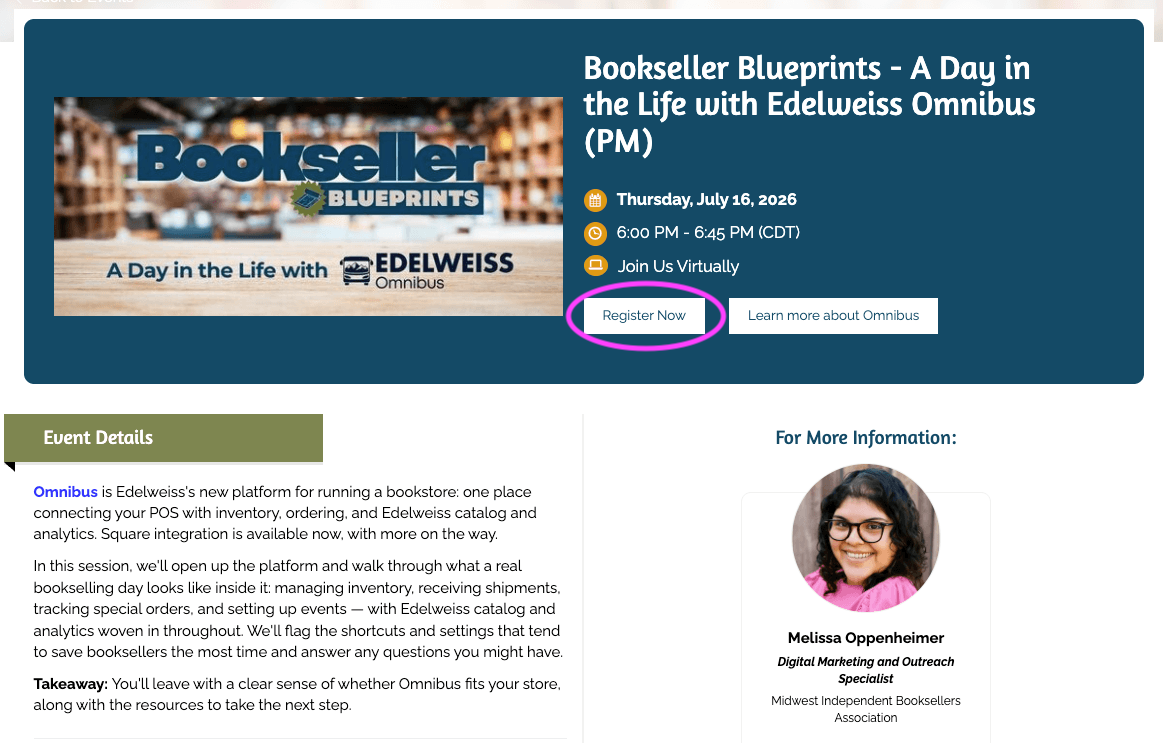
Navigate to the event page of the session you want to attend using the calendar or dedicated Blueprints page. Once there, click the white Register Now button on the event banner.
Step 2
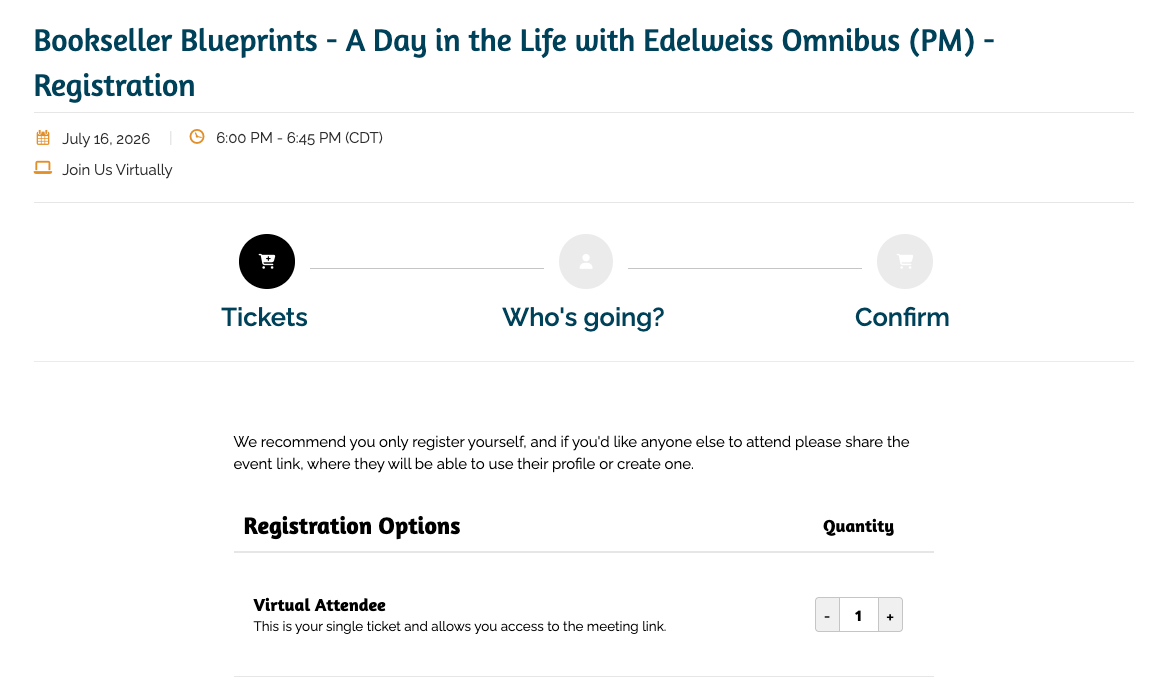
On the Tickets screen, you'll see the Virtual Attendee option. Choose your ticket quantity (remember, registration is for individual access only) and click the button to proceed.
Step 3
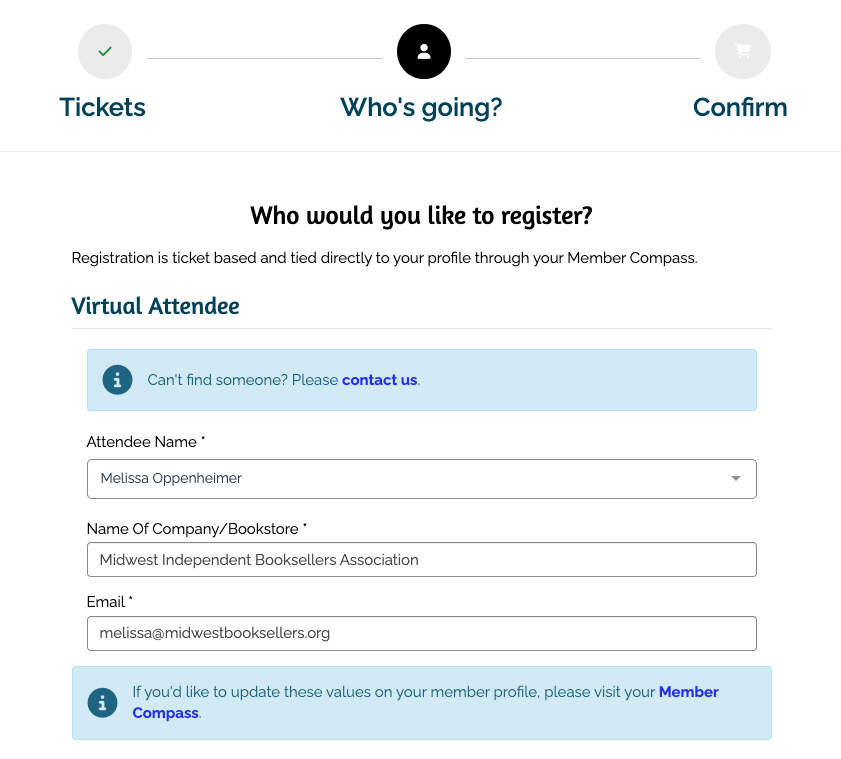
Under the Who would you like to register? section, click the Attendee Name dropdown. Select your name from the list. Because you are logged into your Member Compass, your bookstore name and email will automatically populate!
Step 4
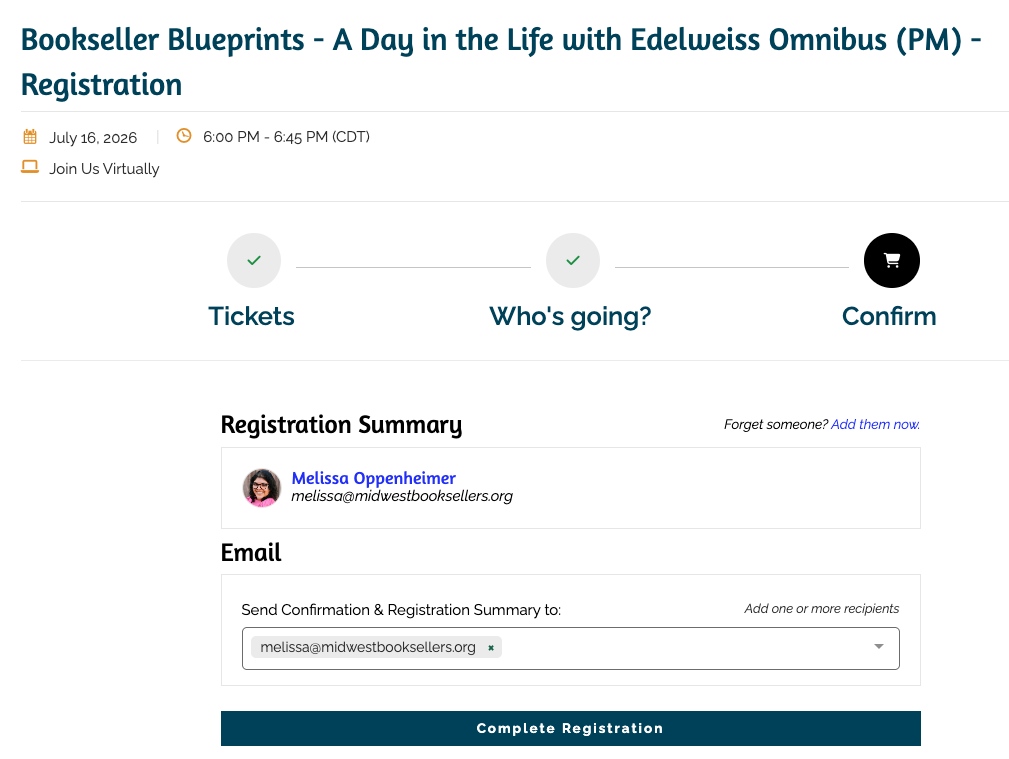
Review your registration summary. Make sure your email address is correct under the Send Confirmation & Registration Summary to field, then click Complete Registration.
Part 2: Using Your Confirmation Email
Once you click submit, you will see a Success! screen confirming your registration.
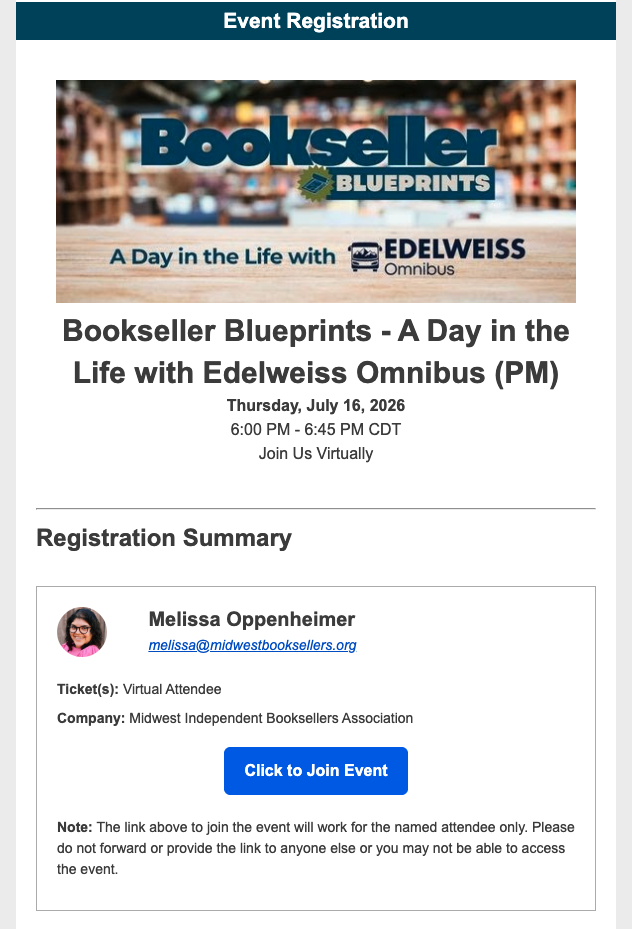
You will also receive a Confirmation Email in your inbox immediately. This email contains your unique entry ticket. Keep this email safe, as it is your direct key to entering the meeting!
⚠️ Important Access Rules:
Individual Registration Only: You should only register yourself, because our system generates unique join links.
Unique Join Links: The Click to Join Event button in your email generates a personalized link just for you. It is tied strictly to your profile. If anyone else tries to use your link on the day of the event, they will be blocked from accessing the session. Please do not forward your link!
Part 3: Accessing the Meeting Day Of
When it's time for the event to start, open your confirmation email and click the blue Click to Join Event button.
What if I click the join link too early?
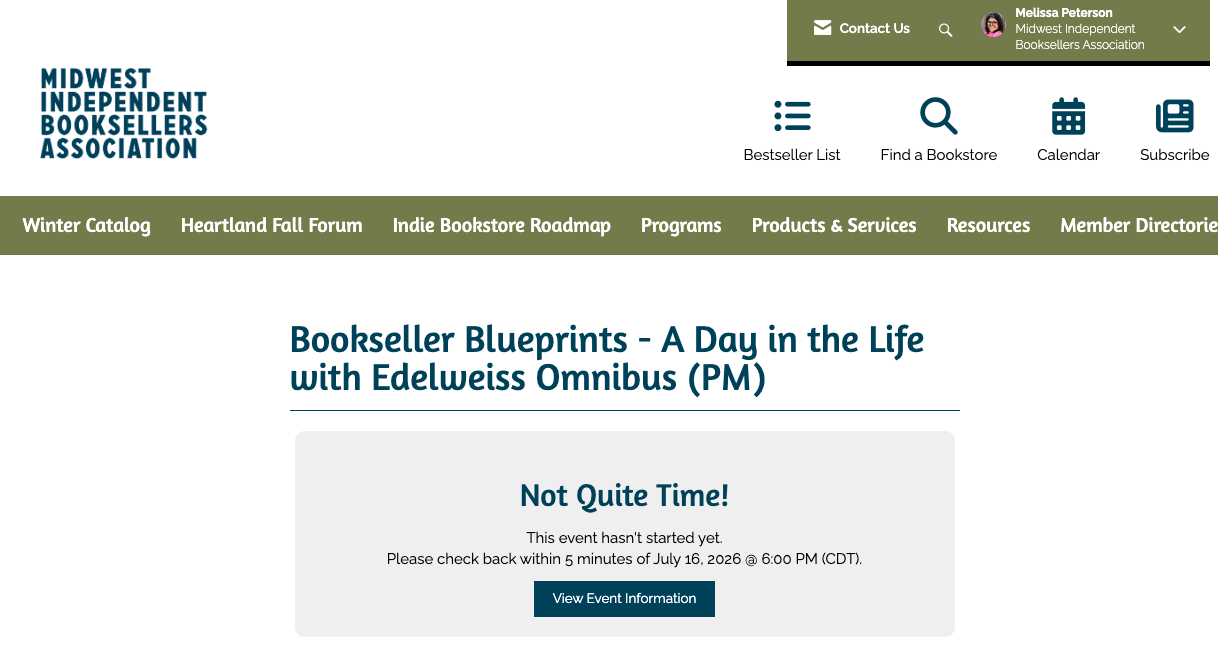
If you click your join link ahead of schedule, don't panic! You will see a "Not Quite Time!" page letting you know the event hasn't started yet.
-
The 5-Minute Rule: You can officially join the session starting 5 minutes before the scheduled start time. Simply refresh the page or click your join link again within that 5-minute window to enter the live room!